



Chevy Dashboard Symbols and Meanings: A Complete Guide
That little light just came on — and now you're wondering if it's a big deal or something you can ignore until next week. Understanding dashboard signals and meanings is one of those things every Chevy owner should have in their back pocket. At Beaty Chevrolet in Knoxville, TN, our service team answers these questions every single day — so let's break down exactly what your dashboard is trying to tell you.
Key Takeaways
- Red lights are serious — pull over safely or get to a shop as soon as possible.
- Yellow/amber lights mean a system needs attention soon, but isn't an immediate emergency.
- Green and blue lights indicate active features, like lane assist or Super Cruise — no action needed.
- The check engine light covers hundreds of fault codes; a quick diagnostic scan at Beaty Chevrolet Knoxville can pinpoint the exact issue.
- Most warning lights won't go away on their own — ignoring them usually leads to bigger repairs down the road.
Light Colors: What Red, Yellow, and Green Actually Mean
The color of a dashboard icon is the fastest way to know how urgent the situation is. Red means stop or get service immediately. Yellow means check it soon. Green or blue means something is simply active and working.
Think of it like a traffic light built into your gauge cluster. Here's a quick reference:
| Light Color | Quick Meaning | What To Do |
|---|---|---|
| Red | Stop now | Safety or mechanical emergency — pull over safely |
| Yellow / Amber | Check soon | System needs attention — schedule service |
| Green / Blue | Normal operation | Feature is active — no action needed |
Most drivers know red means bad — but a lot of amber lights get ignored because they don't feel urgent. That's a mistake. An amber warning that lingers can turn into a red-level problem if the underlying issue isn't addressed. Knowing your dashboard light meanings upfront saves you money and stress later.
What Are the Most Common Chevy Dashboard Warning Lights?
Most modern Chevys — whether it's a Silverado, Equinox, Traverse, or Malibu — share the same core set of warning indicators. Here's a full overview of what each one means, along with the recommended next step.
Use the table below to quickly look up any dashboard icons that appear on your screen:
| Dashboard Light | Color | Urgency | Action |
|---|---|---|---|
| Check Engine Light | Amber | Check soon | Read fault codes; schedule service |
| Oil Pressure / Oil Level Warning | Red/Amber | Stop now (red) / Check soon (amber) | Pull over if red; check oil level |
| Battery / Charging System | Red | Stop soon | Limit electronics use; get to a shop |
| TPMS Light | Amber | Check soon | Check and adjust tire pressure |
| Low Fuel Light | Amber | Refuel soon | Fill up within 30–50 miles |
| Traction / Stability Control | Amber (off) or flashing | Flashing = normal; solid = service | If solid, schedule service |
| Coolant Temperature Warning | Red | Stop now | Pull over; let the engine cool |
| Brake System Warning | Red | Stop now | Check brake fluid; don't drive if spongy |
| ABS Warning | Amber | Check soon | Brakes still work; schedule ABS service |
| Super Cruise | Green/Blue | Normal — feature active | No action needed |
| Lane Keep Assist (LKA) | Green | Normal — feature active | No action needed |
| Forward Collision Alert | Red flash / Amber | Immediate | Brake or steer; if solid, check the sensor |
| Driver Attention Assist | Amber | Take a break | Pull over safely and rest |
Which Dashboard Lights Require Immediate Attention?
A few lights on the list above warrant extra explanation because they're easy to misread — or they involve safety systems that behave differently than drivers expect.
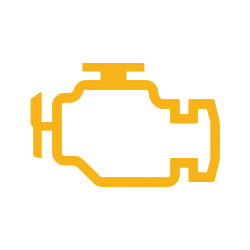
Check Engine Light
This is the most misunderstood light on any vehicle. It doesn't always mean something catastrophic — but it does mean the engine management system detected a fault. It could be a loose gas cap, a failing O2 sensor, or something more serious like a catalytic converter issue. The only way to know is a diagnostic scan. If it's flashing rather than solid, that's a more urgent signal — get off the road and call for service.
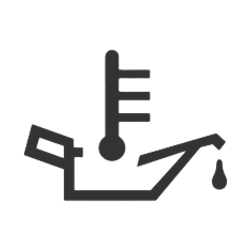
Oil Pressure Warning
A red oil light — especially the one that looks like an old-fashioned oil can — means oil pressure has dropped dangerously low. Pull over safely and shut the engine off. Running an engine with low oil pressure can cause permanent damage in minutes. An amber oil light is less urgent but still means check your oil level before your next trip.
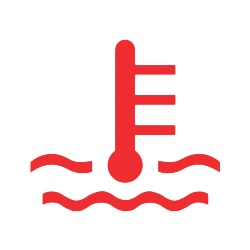
Coolant Temperature
If this red light comes on, your engine is overheating. Don't keep driving. Turn off the A/C, turn the heat on full blast if needed to pull heat away from the engine, and pull over safely. Continuing to drive can warp cylinder heads — a repair that costs thousands of dollars. Let the engine cool fully before checking the coolant reservoir.
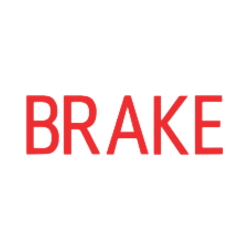
Brake System Warning
This one can mean two things: your parking brake is on, or there's a problem with the hydraulic brake system. If the parking brake is released and the light stays on — or your pedal feels soft or spongy — don't drive. Brake failure is one situation where there's no margin for error. Have it towed to Beaty Chevrolet Knoxville right away.
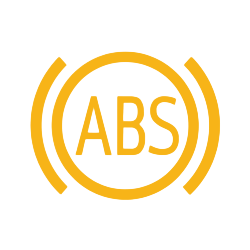
ABS Warning Light
ABS (Anti-lock Braking System) helps prevent wheel lock during hard stops. When this amber light comes on, your regular brakes still work — but the ABS may not activate if you need to stop hard in an emergency. It's not a pull-over-right-now situation, but it should be addressed at your next service visit.
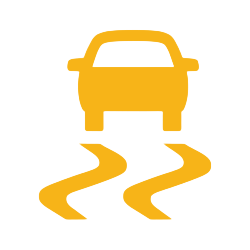
Traction Control / Stability Control Light
If this light flashes while you're accelerating or cornering, that's normal — it means the system is actively working to keep you from sliding. If it stays on solid, the system may have been manually disabled, or there's a fault. Check the button on your center console first; if that's not the issue, schedule a checkup.

Super Cruise
Super Cruise is Chevy's hands-free driving system available on select models like the Silverado and Tahoe. A green Super Cruise indicator means the system is active and ready. Blue or another color may indicate the system is in a different mode. This is one of those green/blue lights that means everything is working — just keep eyes on the road.

Lane Keep Assist (LKA) and Forward Collision Alert
The little green car light on the dashboard in most modern Chevys indicates that Lane Keep Assist is active. A flashing red version of the Forward Collision Alert icon means the system detected a vehicle ahead that you're closing in on quickly — it's trying to get your attention before it applies automatic braking. If the alert is triggering frequently in normal conditions, a sensor may need cleaning or calibration.

Driver Attention Assist
This amber alert means the vehicle has detected erratic steering patterns that may indicate driver fatigue. Take it seriously. Find a safe place to pull over, rest, or swap drivers. It's not a mechanical problem — it's the truck warning sign meaning your Chevy is looking out for you.
What About Dashboard Headlight Symbols?
In addition to warning lights, your instrument cluster also displays icons for active headlight modes. Dashboard headlight symbols typically include a standard headlight icon (low beams active), a headlight with outward-pointing lines (high beams), and a headlight with wavy lines (fog lights). These are status indicators, not warnings — they just confirm which lights are on.
If you notice a headlight icon illuminated when no lights should be on, or if the auto-headlight feature seems to be misbehaving, it's worth having the lighting system checked at your next visit.
Bottom Line: Don't Guess — Know What Your Chevy Is Telling You
Your dashboard isn't trying to stress you out — it's trying to help you avoid a breakdown, a blown engine, or a safety situation. Knowing your Chevy’s car symbols is the difference between a quick fix and an expensive one. Whether you drive a Silverado, Equinox, Blazer, or Suburban, these lights all work the same way: they exist to give you a heads-up before a problem becomes a disaster. At Beaty Chevrolet in Knoxville, TN, our certified technicians can pull diagnostic codes, inspect your systems, and get you back on the road with confidence.
Schedule Service at Beaty Chevrolet in Knoxville
If one of these lights just came on — or has been on for a while — scheduling a quick check at Beaty Chevrolet is an easy next step. Our Knoxville service team works with all Chevy models and can usually get you in quickly for a diagnostic scan. Don't wait until a yellow light turns red. Book your service appointment online or give us a call — we'll take it from there.
FAQ: Chevy Dashboard Symbols and Meanings
What does it mean when my check engine light comes on in a Chevy?
It means the engine management system detected a fault code. It could be something minor like a loose gas cap or something more significant — a diagnostic scan at Beaty Chevrolet Knoxville will identify the exact cause.
Is it safe to drive with the ABS warning light on?
Your regular brakes will still function, but the anti-lock braking system may not engage properly during a hard stop. It's safe to drive short distances carefully, but the issue should be inspected soon.
What does the little green car light on a Chevy dashboard mean?
That icon typically indicates Lane Keep Assist is active. It's a normal operation light and doesn't require any action — just a confirmation that the safety feature is on.
Why is my Chevy TPMS light on even after I filled my tires?
The TPMS sensors sometimes need a few miles of driving to reset after a pressure adjustment. If the light stays on after driving 10–15 minutes, one tire may still be low, or a sensor may need to be recalibrated or replaced.
What should I do if a red warning light comes on while driving?
Find a safe place to pull over as soon as possible. Turn off non-essential electronics, check for obvious issues like smoke or fluid leaks, and call for service. Red lights signal potential safety or mechanical emergencies that shouldn't be driven through.
How do I reset a Chevy dashboard warning light?
Most warning lights won't reset until the underlying issue is resolved. A technician can clear fault codes with a diagnostic tool after the repair is made — clearing a code without fixing the problem will just bring the light back on.